Create Stunning Wall Art with the Procreate Print Creator Studio
A Complete Toolkit for Digital Artists and Creative Entrepreneurs
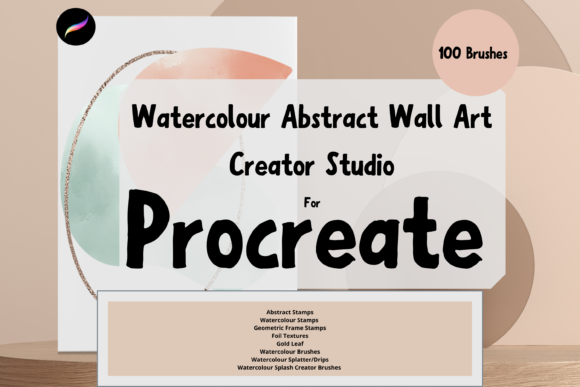
There is a specific kind of magic that happens when a digital brush perfectly mimics the unpredictable bleed of watercolor on cold-press paper. For years, achieving that organic, textured look on an iPad required hours of manual layering and tweaking. However, the Procreate Wall Art Print Creator Studio changes the game entirely. This collection is not just a random assortment of tools; it is a carefully curated ecosystem designed specifically for artists who want to transition their work from the screen to the wall. Whether you are a hobbyist looking to decorate your living room or a budding entrepreneur planning to launch a printable art shop, this studio provides the foundational elements you need to create professional-grade imagery.
The appeal of this toolkit lies in its versatility and its focus on the "printable" aesthetic. Digital art often looks flat when printed because it lacks the subtle grain and texture of physical media. This pack addresses that head-on with a robust selection of paper texture brushes. By using these textures as a base layer, you immediately ground your artwork in reality. The visual personality of the art created with these tools tends to be warm, tactile, and sophisticated. It bridges the gap between the convenience of digital creation and the timeless appeal of traditional mixed media.
Mastering the Watercolor and Abstract Styles
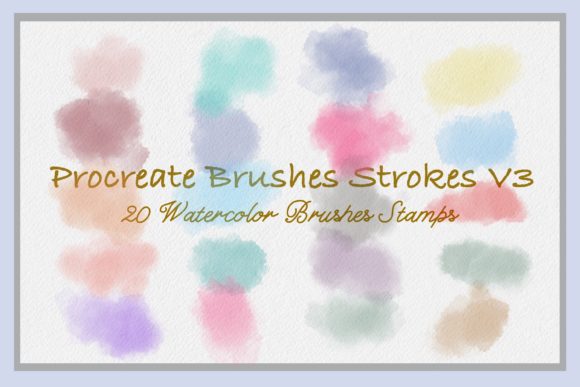
At the heart of this collection are the watercolour dynamic brushes. These are engineered to react to pressure and speed in a way that feels intuitive, much like real paint. You can use them for broad washes of color or delicate details. A practical tip for getting the most out of these tools is to utilize the "Multiply" blend mode when layering colors. Watercolors are translucent by nature; they darken where they overlap. By setting your brush layer to Multiply, you ensure that your strokes build upon each other naturally, creating depth and richness rather than opaque patches of color.
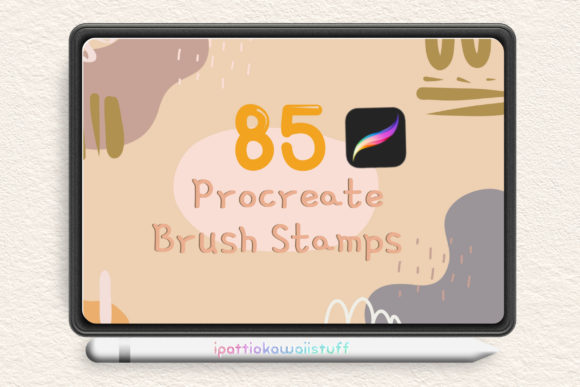
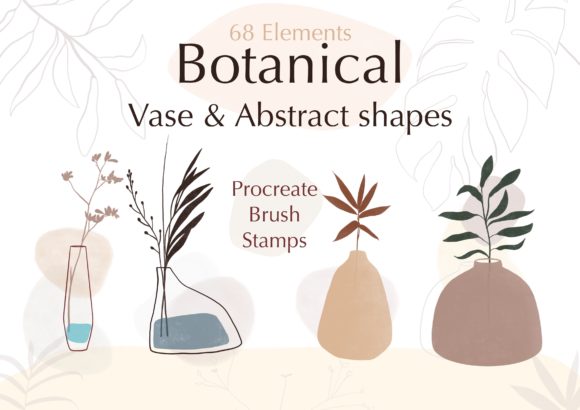
Beyond the painting brushes, the abstract stamps and geometric frame stamps offer a way to construct compositions quickly. If you are designing for a brand identity that requires a modern, artistic flair, these stamps can serve as focal points or borders. For those creating social media graphics, the watercolour splash stamps add an energetic, hand-crafted feel that stops the scroll. The ability to resize these elements using the Procreate move tool means you can maintain high resolution for large-scale prints without pixelation, ensuring your wall art looks crisp at any size.
From Digital Canvas to Commercial Success
For the entrepreneur, the value of the Procreate Wall Art Print Creator Studio extends far beyond aesthetics. It is about workflow efficiency. Instead of searching for disparate assets, you have a cohesive set of design assets that work harmoniously. The inclusion of foil brushes and gold leaf brushes is particularly valuable for the premium market. Metallic accents are a major trend in interior design and packaging design. With these brushes, you can simulate the look of luxury materials like gold leaf without the cost of physical supplies, instantly elevating the perceived value of your products.
When it comes to application, think about the end-user. If you are selling prints on Etsy or your own website, consistency is key to building a recognizable brand identity. This toolkit allows you to develop a signature style—perhaps a recurring watercolor wash texture or a specific type of geometric framing—that customers can identify instantly. This is how you move from being a hobbyist to a professional creative. It is not just about making pretty pictures; it is about creating a cohesive body of work that tells a story and appeals to your target audience.
Practical Tips for Texture and Realism
To truly master this studio, you need to understand how to manipulate the tools for maximum realism. The paper texture brushes are your secret weapon. Do not just use them on the background; try incorporating them into your main subject matter to give it a "tooth" that catches the light. Furthermore, the watercolour splatters and dips can be used to add a sense of movement and spontaneity to your pieces. In editorial design or web design, these elements can break up rigid grid layouts and soften the overall look of a page.
Remember that the strength of the blend can be altered using the opacity slider. This gives you fine control over how aggressive or subtle your strokes appear. For a vintage, weathered look often sought after in packaging design, lower the opacity and build up layers slowly. For bold, modern logo design elements, keep the opacity high for sharp contrast. The flexibility of resizing tools ensures that whether you are creating a small business card or a massive canvas print, the integrity of the brush stroke remains intact.
Final Thoughts on the Creative Process
The Procreate Wall Art Print Creator Studio is more than just a download; it is a catalyst for creativity. It removes the technical barriers that often stop artists from producing print-ready work. By combining abstract stamps, geometric frames, and dynamic watercolor brushes, you have everything you need to explore different styles without needing external resources. It is an ideal solution for anyone looking to diversify their portfolio, start a side hustle, or simply enjoy the meditative process of digital painting with tools that feel genuinely responsive.
As you experiment, pay attention to how different elements interact. The interplay between a sharp geometric frame and a soft, bleeding watercolor splash creates a compelling visual hierarchy. This contrast is what makes art engaging. Use these tools to tell visual stories, evoke emotions, and create pieces that people want to hang in their homes. With the right technique and this comprehensive brush pack, your iPad becomes a powerful studio capable of producing art that rivals traditional methods.