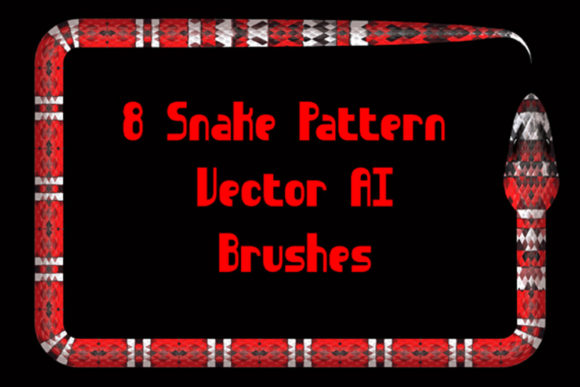
8 Snake Illustrator Brushes: Add Wild Style to Your Designs
Sometimes a design needs a touch of the unexpected. We spend so much time working with clean lines, perfect circles, and predictable shapes that we forget the power of organic, wild forms. For anyone working on a project that calls for a bit of edge, a naturalistic vibe, or a direct "zoo style" theme, the right design assets can save hours of work and inject a level of detail that’s hard to achieve manually. This is where specialized tools like the 8 Snake Illustrator Brushes come in, offering a focused solution for a very specific creative need.
Uncoiling the Potential: What You Get
At its core, this package provides a set of eight vector pattern brushes for Adobe Illustrator, each depicting a different type of serpent. We’re talking about vipers, cobras, asps, boas—the kind of creatures that carry strong visual weight. The appeal isn't just in the subject matter, but in the execution. These are vector brushes, meaning they are paths you can manipulate with the precision of any other Illustrator object. You can adjust the stroke weight to make a serpent thick and menacing or thin and delicate. You can change the color to match any brand identity, from a venomous green to a sleek, monochrome black. The 8 Snake Illustrator Brushes are designed to be a starting point, not a rigid stamp.
The package is built for practicality. It includes the original Ai Illustrator 10 and EPS 10 files, ensuring compatibility not just with modern versions of Illustrator, but with CS5 and potentially other software that can open EPS files. This is a thoughtful detail for designers who work across different machines or with clients using older software. A PDF help file with screenshots guides you through the installation and basic use, removing the guesswork. The entire archive is a lightweight 9.47 MB, making it a quick download even on slower connections.
Where These Brushes Truly Shine
Thinking about application is key. A display font or a bold serif font might be the star of a logo, but these snake brushes are supporting actors that can steal the scene. They excel in projects where visual hierarchy and thematic consistency are crucial.
- Zoo & Wildlife Branding: This is the most direct application. For a zoo, reptile house, or wildlife conservation organization, these brushes are perfect for creating custom borders, decorative dividers in editorial design, or unique elements for packaging design on souvenir merchandise.
- Music & Entertainment: Think of band posters, album art, or event flyers for rock, metal, or psychedelic genres. A coiled serpent integrated into a logo or as a background pattern can convey a specific, powerful attitude that stock imagery can't match.
- Fashion & Apparel: For streetwear brands or designers with a dark, edgy aesthetic, these brushes can help create original graphic t-shirt designs, lookbook layouts, or social media graphics that stand out.
- Editorial & Book Design: In publishing, especially for fantasy, mystery, or historical fiction genres, snake motifs can be used for chapter headers, drop caps, or decorative page elements that enhance the reader's immersion.
- Digital & Web Design: While not for body text, they can create striking website banners, unique loading animations, or custom icons for a site with a bold, thematic concept.
The key is context. A delicate cobra pattern might work beautifully as a subtle background texture for a luxury brand's website, while a thick, coiled viper could be the central graphic for a concert poster. The ability to change color and thickness means these vector brushes can adapt from a menacing to an elegant personality, depending on the project's needs.
Practical Guidance for Implementation
Using any premium font or asset effectively requires a bit of strategy. First, consider your project's overall style. If you're using a clean sans serif font for your main body text, a detailed snake brush can add a much-needed organic counterpoint. If your primary typeface is already a complex script font, you might use the snake motif more sparingly to avoid visual clutter.
Test the brushes in context. Don't just place them on a blank artboard. Apply them to your actual layout. How do they interact with your headlines? Do they complement or compete with your color palette? A good practice is to create a few variations—perhaps one with a thin stroke as a subtle border and another with a thicker stroke as a focal element—and see which serves the visual hierarchy best.
Remember, these are design assets, not magic. Their effectiveness comes from how you integrate them. Use the pen tool to adjust the paths after applying the brush. Combine multiple snake paths to create a plexus or a more complex pattern. The fact that you can "make any brush for yourself in your Illustrator version" after studying the included files is a huge advantage. It means this package can teach you how to create your own custom pattern brushes in the future, expanding your toolkit permanently.
Finally, always check the licensing for commercial use. While the description doesn't specify, it's a standard professional practice to ensure any asset you use in client work or for sale is properly licensed. The included files and documentation should clarify this. When used thoughtfully, the 8 Snake Illustrator Brushes are more than just decorative elements; they become a tool for crafting a specific mood, telling a visual story, and adding a layer of professional polish that generic clipart simply cannot provide. They are a niche but powerful addition to a designer's library, perfect for when a project calls for something a little wild.